FUTO Keyboard: Secure, Offline Typing for the Privacy-Conscious
In an era where digital privacy seems like a relic of the past, imagine typing your thoughts, messages, and emails without worrying about who might be peeking over your digital shoulder. Enter FUTO Keyboard, a revolutionary software that promises to bring back your privacy. Say goodbye to data tracking and hello to secure, worry-free typing.
FUTO Keyboard is a cutting-edge, offline keyboard app with voice input capabilities. By operating completely offline, it provides unparalleled privacy and security to all its users.
FUTO Keyboard Software
About FUTO
FUTO is an organization committed to developing technologies that resist centralization and industry consolidation. Founded in 2021 by Silicon Valley veteran Eron Wolf, FUTO aims to restore individual control over technology—a control that has been gradually ceded to a handful of powerful corporations.
In recent years, the tech landscape has been dominated by a few giant, unaccountable corporations, leading to a loss of control over personal technology and information flow. FUTO’s mission is to reverse this trend by fostering technologies that prioritize individual freedom. Importantly, FUTO maintains its independence, operating without reliance on existing tech companies or venture capital firms. This autonomy allows FUTO to remain steadfast in its mission to empower individuals with control over their technology.
FUTO Keyboard Features
This modern keyboard app operates entirely offline, never connecting to the internet. This design choice guarantees that your keystrokes, voice inputs, and personal data remain secure and private. Despite its offline nature, FUTO Keyboard doesn’t sacrifice functionality. It includes a suite of contemporary features such as:
- Intelligent Autocorrect: Enhances your typing accuracy without compromising privacy
- Voice Input: Enables seamless, hands-free typing—all processed locally on your device
- Swipe Typing: Allows for effortless, faster text entry
Moreover, FUTO Keyboard is highly configurable, allowing you to customize its appearance and functionality to match your personal preferences. Choose FUTO Keyboard for a secure and private typing experience on your mobile device.
Installation Guide
Follow these steps to install FUTO Keyboard on your Android device:
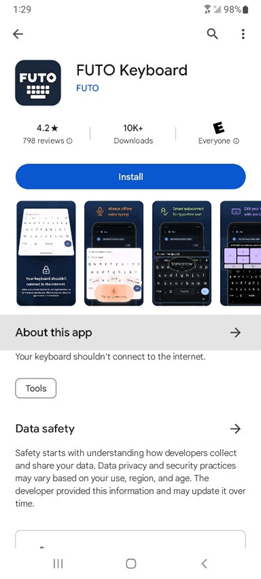
1. Open the Google Play Store and search for “FUTO Keyboard” (Note: Currently not available for iOS devices).
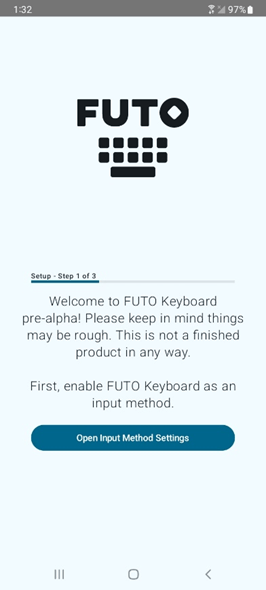
2. Once installed, open the app and tap “Open Input Method Settings”.
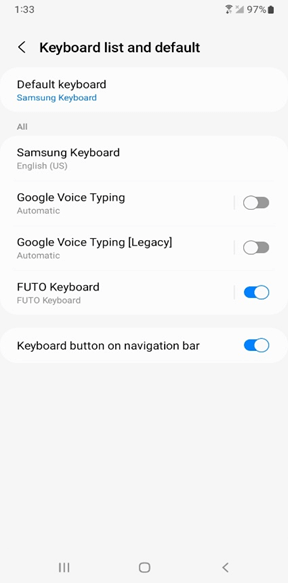
3. Disable “Google Voice Typing” and “Google Voice Typing [Legacy]” and Enable “FUTO Keyboard”
4. Tap “Built-in voice input” and select “While using the app”
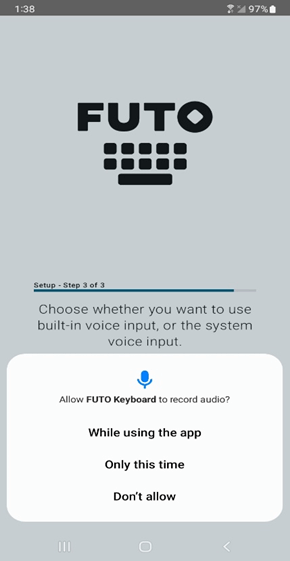
FUTO Keyboard will now be set as your default keyboard.
To confirm that FUTO Keyboard was installed correctly, you can verify through the Google Play Store: open Google Play Store and click the keyboard button at the bottom right-hand corner.
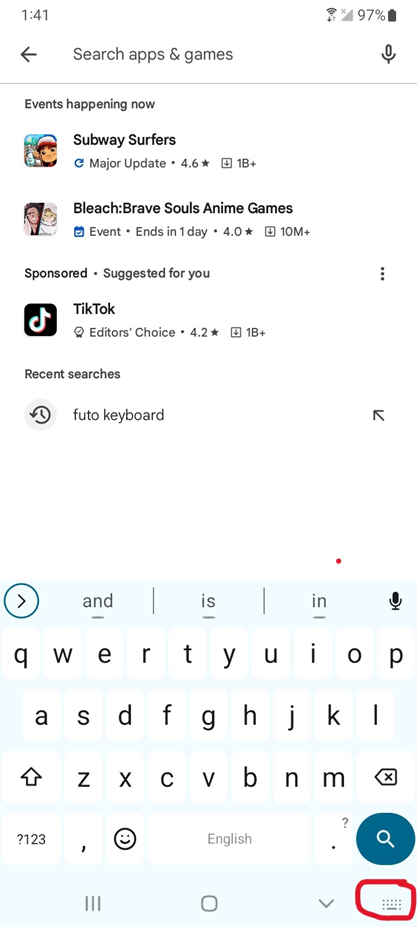
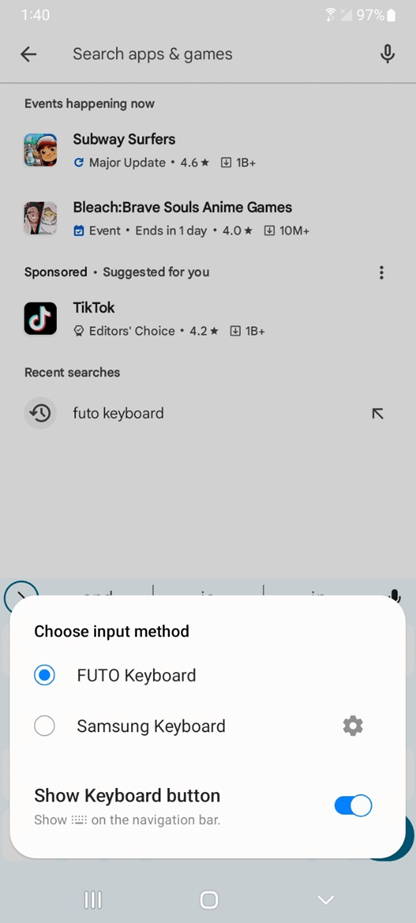
FUTO Keyboard should be listed as the default input method.